Reimagining Optimization: Simplifying a Complex Workflow for Expert Users
Workflow Design | Complex Constraints | Study Planning
Role: UX Manager
Team: Product Management, Engineering, Stakeholders
Timeline: [Month Year] to present | Wireframes created, design in progress
Deliverables: End-to-end flow, wireframes
The challenge
Our planning tool uses an automated optimization engine to recommend the ideal mix of research locations based on goals like enrollment targets and geographic limits. While powerful, the legacy workflow was cumbersome, requiring redundant filtering across separate screens and only alerting users to conflicting rules, missing data, or impossible targets after they ran the process.
My role and approach
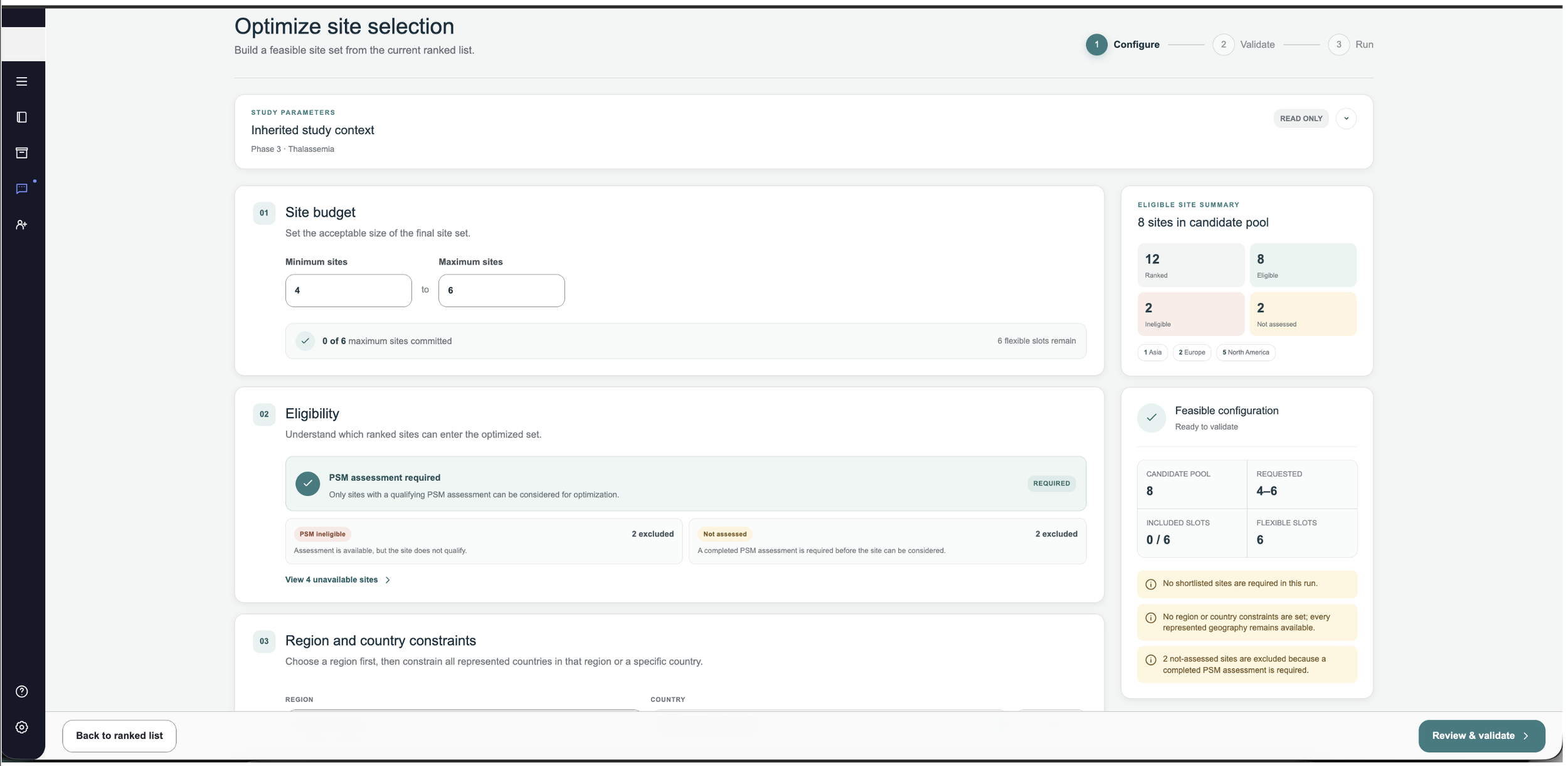
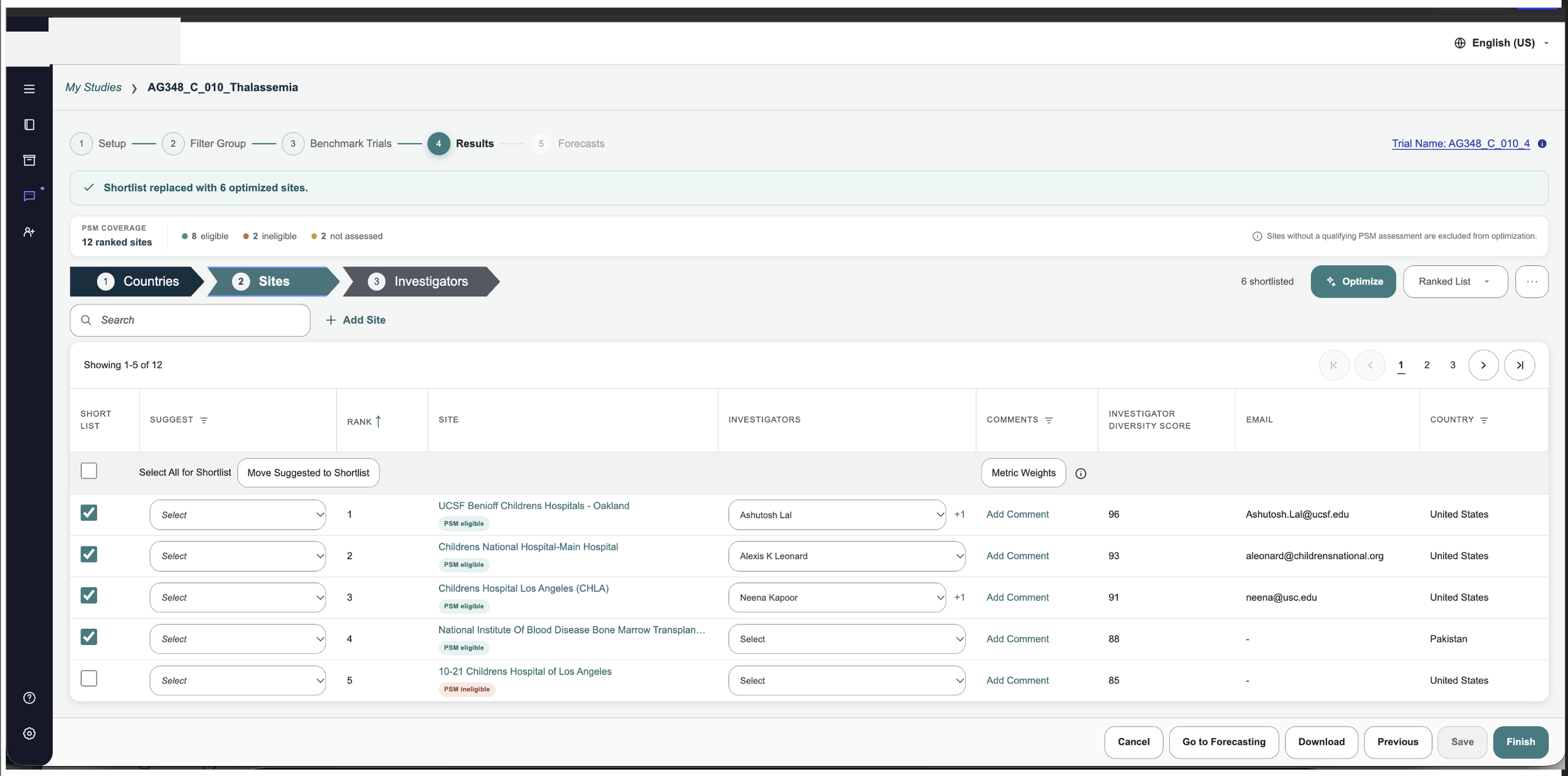
I translated stakeholder discussions and technical requirements into a single end-to-end journey and designed the wireframes for it. I treated optimization as one connected flow instead of a set of separate screens: ranked list, optimize, configure constraints, validate, run, processing, optimized list, and save as a shortlist.
Process
1. Designing one journey, not separate screens
I started by mapping the full flow and the decisions inside it, including open questions such as whether optimization should live in a flyout or its own screen, how results return to the ranked list, and how users come back to a run that is still processing. The ranked list became the starting point, so users no longer rebuild a site pool from scratch.
2. One source of truth for constraints
The old model let users set the same decision in multiple places, which caused conflicts. In the new flow, constraints are configured in one place, following the structure users already think in: study, region, country, and site. Options are limited to what’s actually in the ranked list, so a region with no countries in the list never appears as a choice.
3. Designing for the unhappy paths
The happy path is only part of the problem. I designed explicitly for the cases that cause failures:
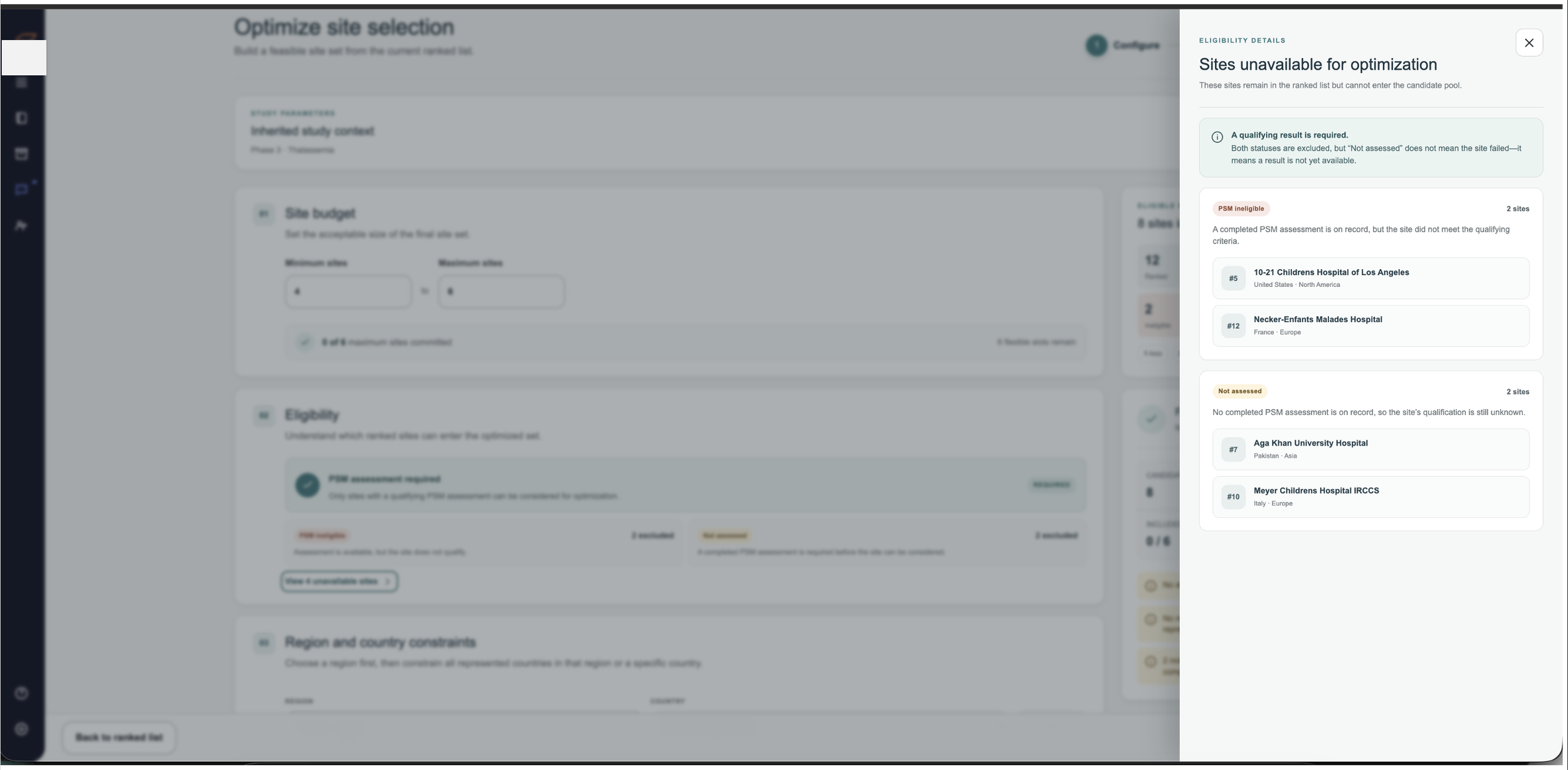
Missing required data: The optimizer can only consider sites with the data it needs. Before a run, users see how many sites are eligible and how many are excluded (for example, 312 of 485), with a way to review the excluded group.
Impossible constraints: If a country has only three qualifying sites, users can’t request a minimum of five. The warning appears as they type, not after a failed run.
Conflicting rules: Contradictory include and exclude instructions are flagged immediately, with an explanation of which rules conflict.
Required sites and the site maximum: The interface makes the relationship explicit: 5 required sites plus up to 95 optimizer-selected sites equals a maximum of 100, not 105.
Long-running optimization: Processing is a designed state. Users can leave, keep working, and return to their results.
4. Results that feel familiar
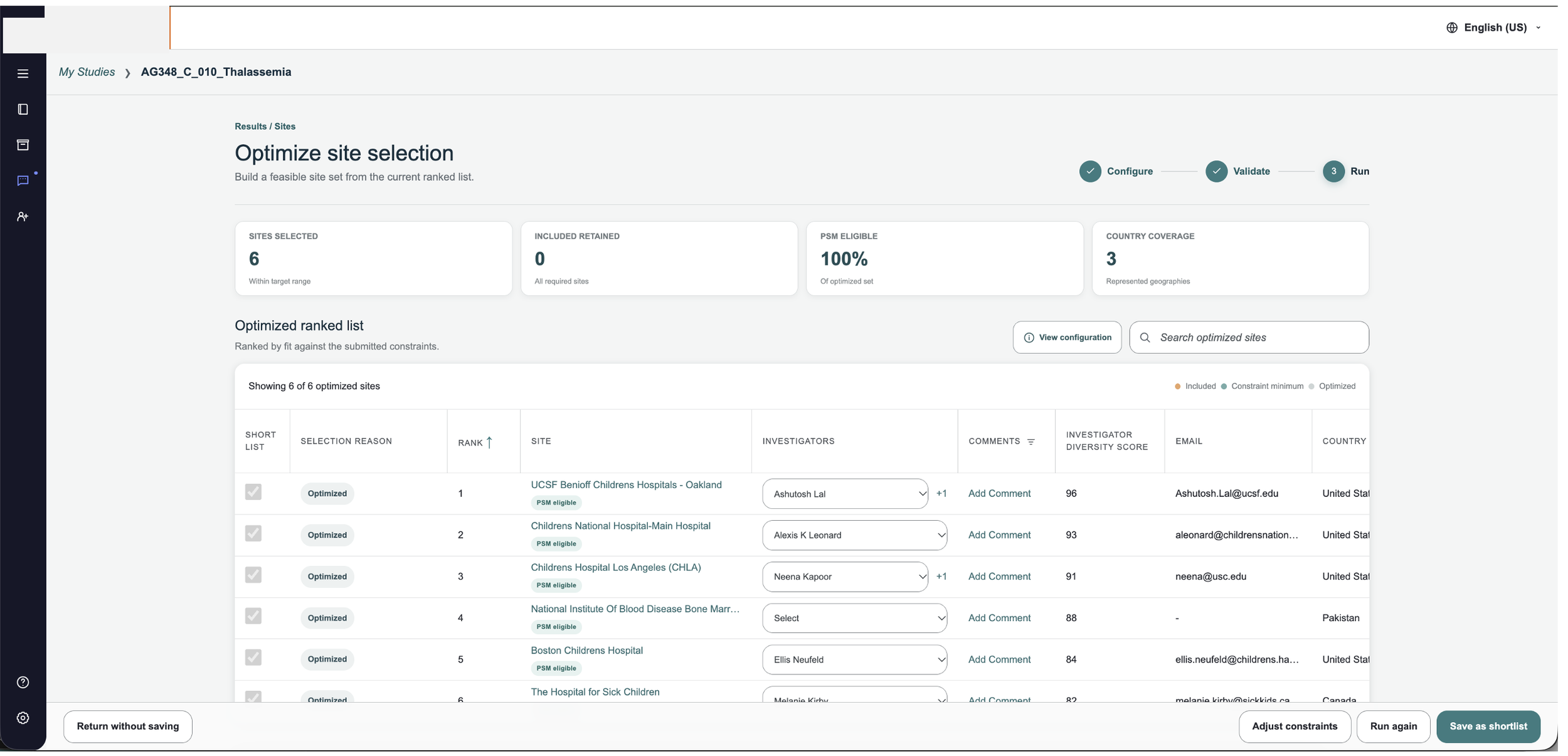
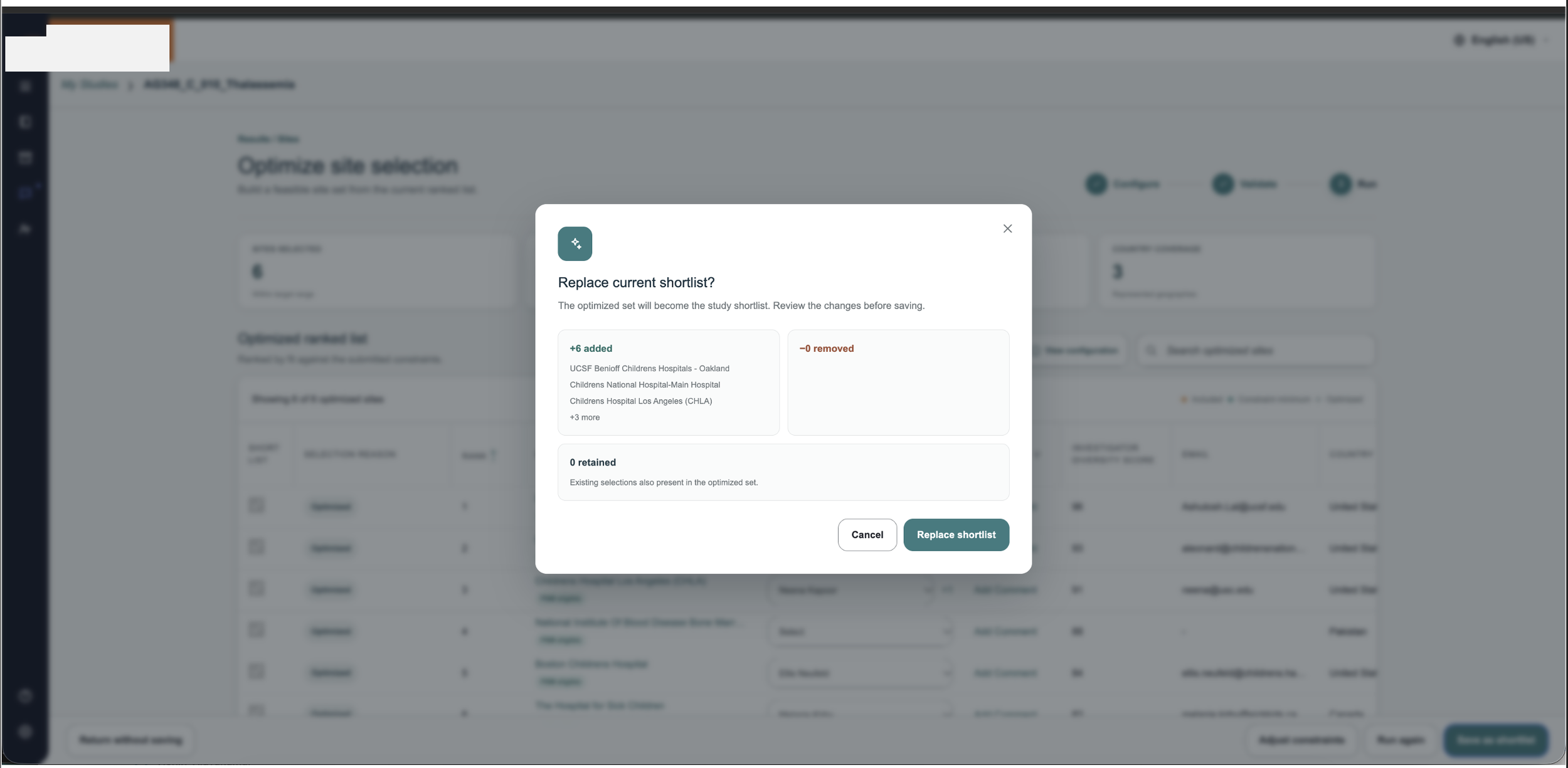
The optimized list uses the same columns as the ranked list, narrowed to the selected sites, so users don’t have to learn a new view. From there they can save the result as a shortlist, which appears back in the original experience. I also proposed showing the constraints used and the run date alongside the results, and offering a way to modify constraints and rerun.
The solution
The reimagined flow keeps the full power of the optimizer and removes the friction around it. Users configure constraints once, get immediate feedback while they work, and see results in a format they already know. The design assumes an expert user, so it prioritizes flexibility in configuration over heavy hand-holding.
Where it stands
End-to-end flow defined
Wireframes created
Design continuing
Reflection
In a complex workflow, the best help is catching problems early. Most of the frustration in the old experience came from errors that appeared too late, so the redesign moves validation to the moment a user makes a choice. Designing for the expert meant trusting users with flexibility and giving them clear, specific feedback in place of generic alerts.
Last updated: November 2026